Help people find where they belong.
Give each ministry and each member of your team a page, so visitors see what your church offers and who to talk to.
 Kids ministry
 Youth group
 Worship team
 Outreach
Staff pages
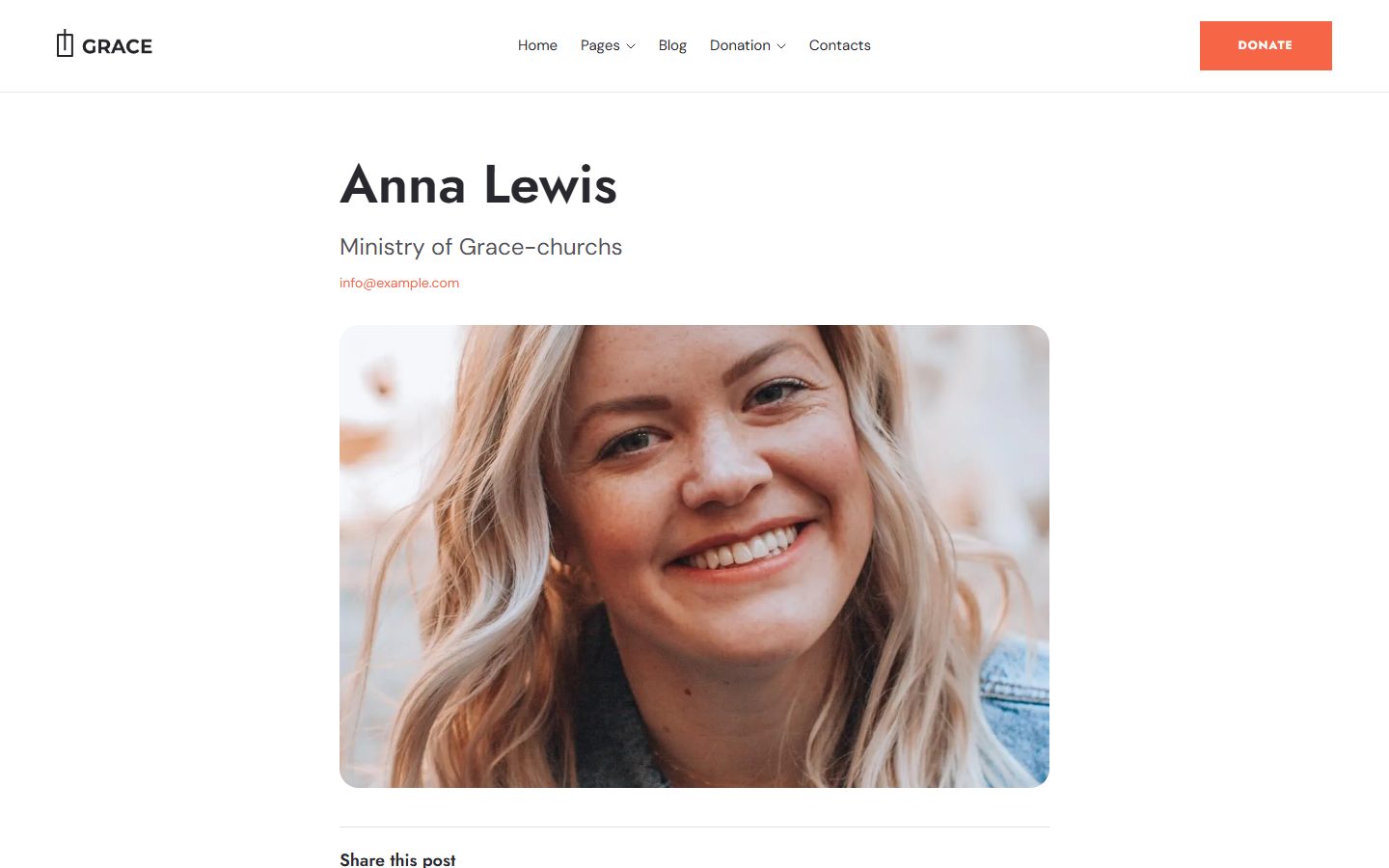
A Staff profile introduces one person on your team. The title is the person’s name and the short description is their role. The cover is their photo. Visitors can read the full bio and reach the person directly.
A Staff profile is only a public page. It does not give the person a login to your dashboard.
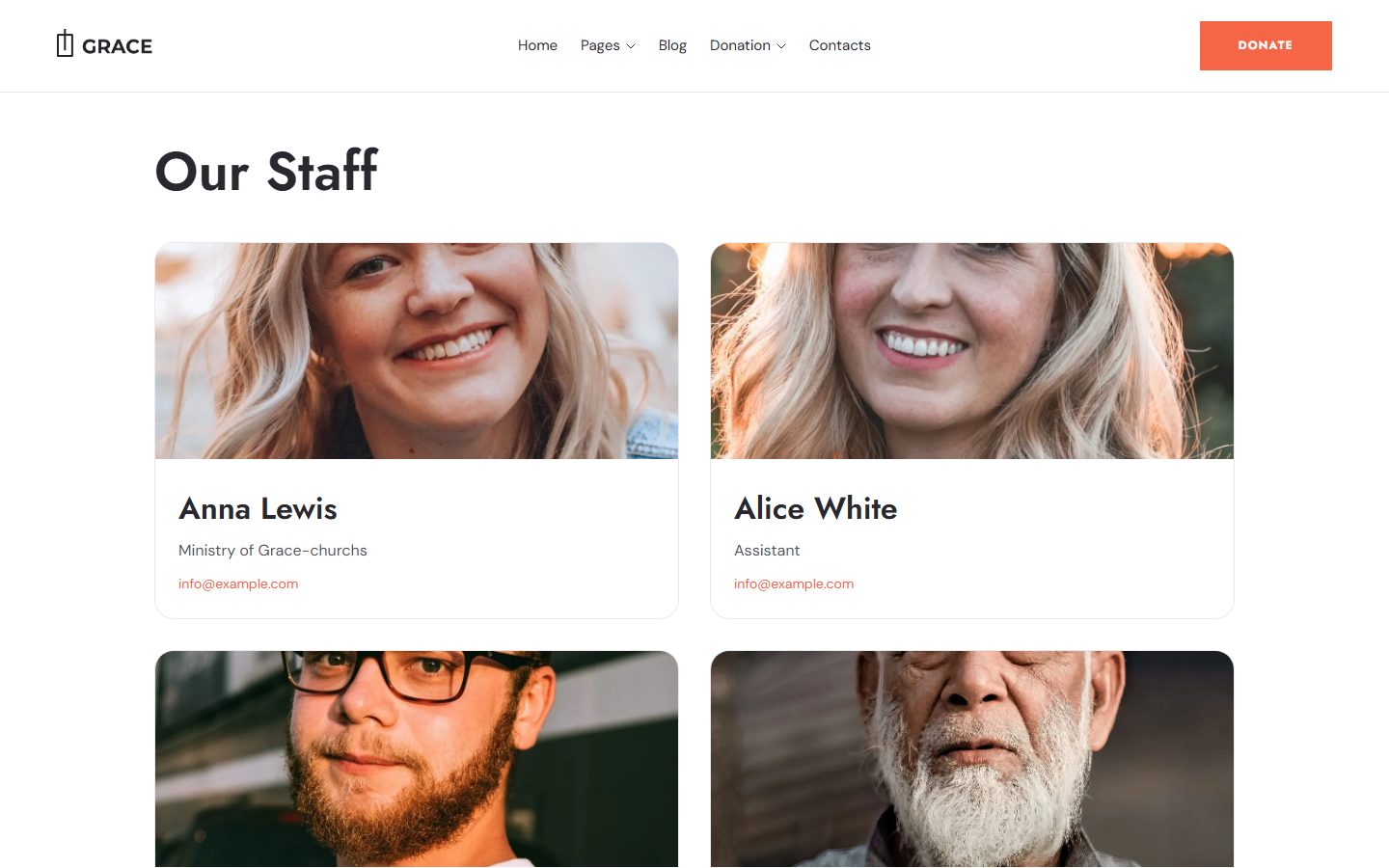
- Each profile has a photo, role, short bio, full bio, email, phone and social links.
- Email and phone appear as links, so a visitor can tap to write or call.
- Social links show as icons for networks such as Facebook, Instagram, YouTube and LinkedIn.
- The Staff widget can show or hide the role, contact details, bio and social icons.
- Choose one to four columns and left, center or right alignment.
What it is and what it does
Ministries and Staff give every area of your church’s work and every member of your team a page on your website. Visitors can see what your church offers and who to ask, without calling the office.
You write each one once in your dashboard, press Publish, and it appears on its own page and in any list you place on your Site.
- A Ministry page for each area, such as Kids, Youth, Worship or Outreach.
- A Staff profile for each team member, with photo, role, bio, email, phone and social links.
- A Ministries widget and a Staff widget that list them as cards on any page.
- A volunteer sign-up form you can put on a ministry page.
- Pages in the menu at /ministries and /staff once something is published.
Ministry pages
A Ministry is one area of your church’s work. Visitors reach it at /ministries/<name>, and see the title, short description, cover picture, category and the full text you wrote. There is no date and no author, because a ministry is not news.
Think of it as the page you would hand to a newcomer who asks, “What is there for my children?”
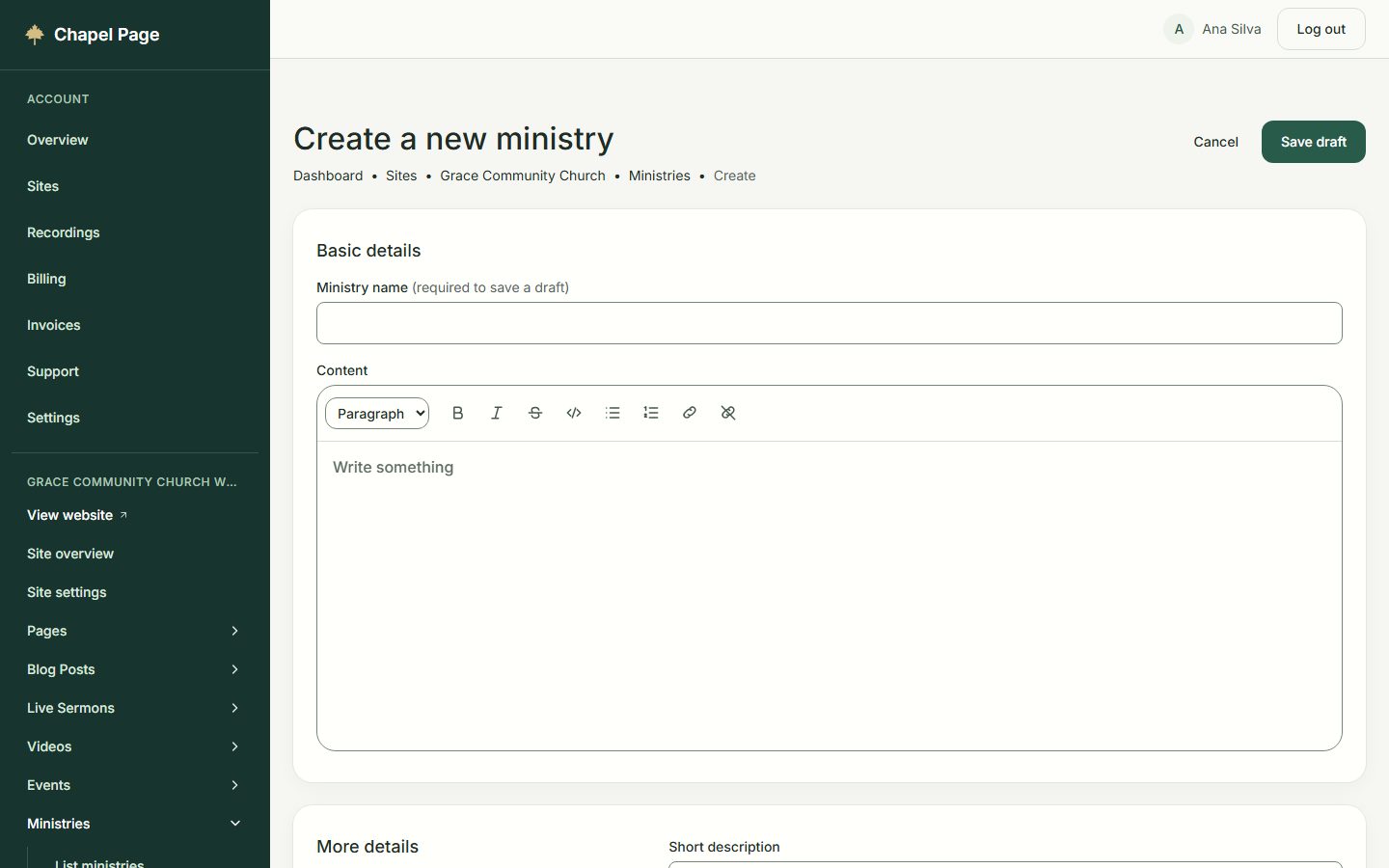
- Each ministry has a name, a short description, a cover picture, a category and a full page of text.
- List them all on one page with the Ministries widget, in one to four columns.
- Each card shows the picture, the name and the short description, and links to the full page.
- You can add a title above the list, for example Get involved.
- Visitors see ministries in the order they were first published.
From interest to involvement
A visitor who likes what they read should be able to say yes on the same page. Put a volunteer sign-up Form widget on a ministry page. The visitor picks the ministry from a list of your published ministries, says when they are available and sends it.
The sign-up arrives in your Inbox, and the owner of your Account gets an email about it. Nobody has to retype a note from a paper card.
How sign-ups reach you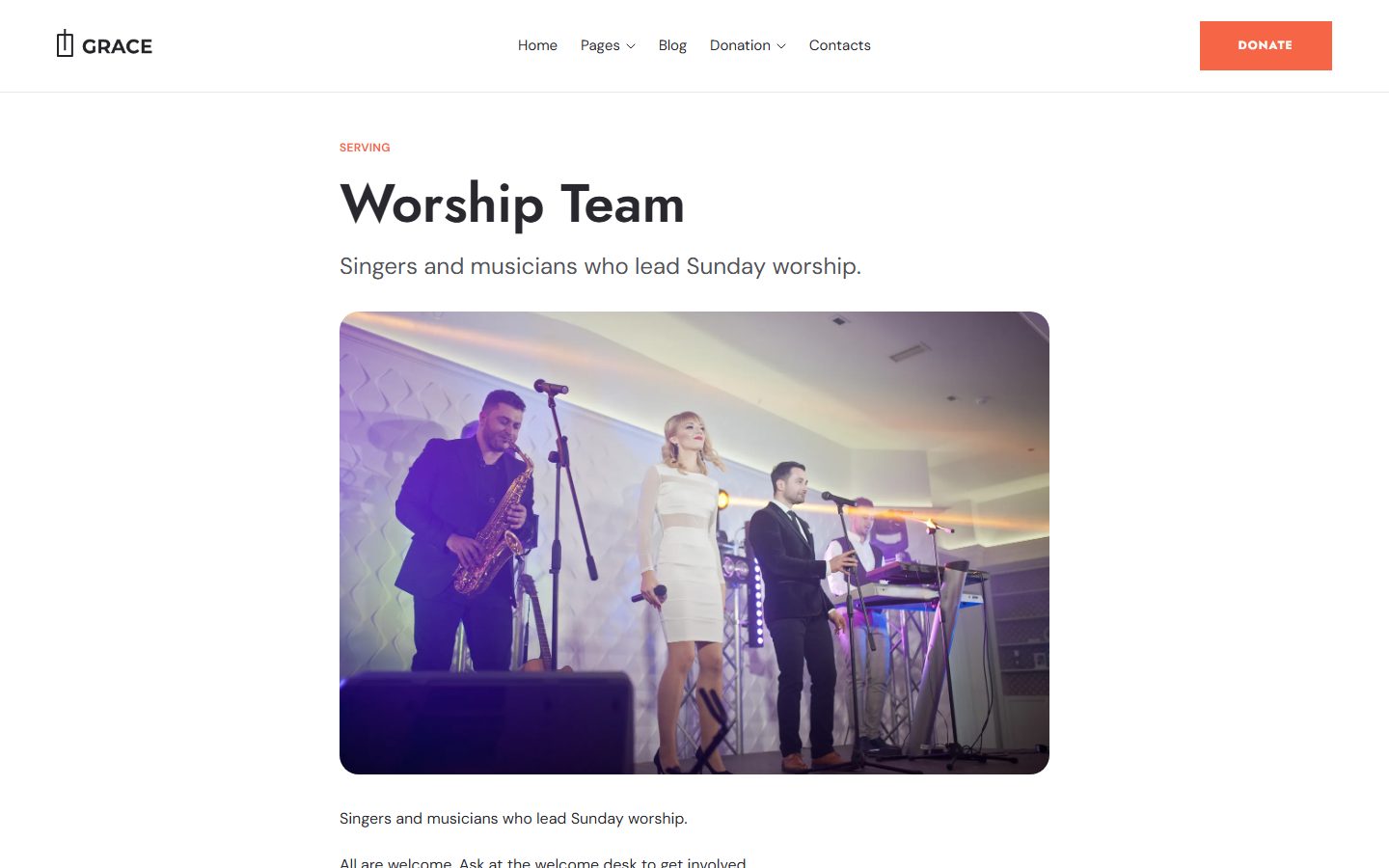
- The volunteer form asks for name, email, phone, the ministry and availability.
- The ministry list is filled from your published Ministries, so it never goes out of date.
- The sign-up appears under Volunteers in the Inbox.
- The form needs the Community Inbox, which comes with Plus and Pro.
Ministry events
Most ministries have a rhythm: Sunday school, youth night, a monthly dinner. Show that rhythm on the ministry’s own page, so a visitor sees what happens and when.
Events carry a category. Give an Event the same category as the ministry, then add a content widget that shows Events from that category on the ministry page.
Events and the calendar- Write the Event once and it appears on the calendar and on the ministry page.
- Set the widget’s Show choice to Events and type the ministry’s category.
- Categories match without regard to capital letters.
- Events need the Plus or Pro plan.
Writing and publishing
Ministries and Staff are written and published like Blog Posts. You can write a profile as a draft, ask a colleague to read it, and press Publish only when it is right. Nothing shows to visitors until then.
If your Site offers more than one language, write the title, description and text in each language, so each visitor reads the page in theirs.
- Drafts stay private until you press Publish.
- Each profile has its own address, such as /ministries/kids.
- A title and description for search engines can be set on each page.
- Visitors see profiles in the order you first published them, so publish the person or ministry that should come first before the others.
- Staff and Ministries appear in your Site’s menu once at least one is published.
What this means for your church
A newcomer decides quickly whether a church has a place for them. A clear ministry page and a friendly face answer that before they walk in. A family looking for a children’s program finds it without phoning.
Your team gains time too. Questions like “Who leads youth?” are answered by the website, and volunteers sign up without a paper card.
- Visitors: see what the church offers and who to talk to, on a phone or a laptop.
- Office staff: fewer calls and emails asking where to start.
- Ministry leaders: their own page, which they can ask the office to keep up to date.
- Volunteers: sign up in one minute from the ministry page.
Which plan includes it
Ministries come with Lite ($24 a month), Plus and Pro. Staff profiles come with Plus ($59) and Pro ($169). Free ($0) has neither. Every plan allows one Site.
If you move to a plan without a tool, that tool is paused and your content is kept. The pages and widgets disappear from the public Site, and come back when you upgrade. The volunteer form also needs the Community Inbox, which is part of Plus.
Comparer les forfaits- Free
- Pages, Blog Posts, Template import and one Site.
- Lite, $24
- adds live streaming, Videos and Ministries.
- Plus, $59
- adds Events, Calendar, Staff, Giving, Donations, Community Inbox and 100 MCP credits.
- Pro, $169
- everything in Plus, higher streaming allowances and 10,000 MCP credits.
Prices are in US dollars per month, before applicable taxes.
Cost: Ministries come with Lite at $24 a month, and Staff comes with Plus at $59 a month.
Questions
Can each ministry have its own page?
Yes. Every ministry you publish gets its own page on your website, with its own address such as /ministries/kids. The page shows the title, short description, cover picture, category and the full text you wrote.
Can we hide a staff member’s email or phone?
Yes. Leave the field empty on the profile, or switch contact details off in the Staff widget. The widget can also hide the role, the short bio and the social icons, so each page shows only what you choose.
In what order are they shown?
In the order you first published them. There is no date and no alphabetical sorting. If the senior pastor should come first, publish that profile before the others, and the same goes for ministries.
Can people sign up to volunteer?
Yes. Add the Form widget with the volunteer form. It asks for name, email, phone, the ministry and availability, and sends the sign-up to your Inbox. This needs the Community Inbox, which comes with Plus and Pro.
What can a staff profile show?
A photo, name, role, email, phone, a short bio, a full bio and social links. The photo is the profile’s cover, and the role is its short description. Social links show as icons for well-known networks.
What can a ministry page show?
A title, a short description, the full text, a cover picture and a category. A ministry page shows no date and no author. You can also set a search title and description for search engines.
Can we group staff, for example pastors and elders?
Not with a filter. Each profile has a category that you can fill in, but the Staff widget lists all published profiles. To put pastors first, publish them first, or use a separate heading on the page.
Can a ministry page have a volunteer form?
Yes. Add the Form widget to the page and choose the volunteer form. The visitor picks the ministry from your published ministries, so it works on a ministry page or on a general Get involved page.
Can we show ministries on the home page?
Yes. The Ministries widget lists them as cards on any page, in one to four columns. Add a title such as Get involved. The cards follow your published ministries, so a new one appears without any other change.
Can we prepare a profile before it goes public?
Yes. Ministries and Staff stay drafts until you press Publish. Write it, check it and ask a colleague to read it first. Visitors see nothing until you publish.
Does a staff profile give someone access to the dashboard?
No. A Staff profile is a public page only. It does not let the person log in or change anything. Access to your dashboard is given to Members of your Account, which is a separate step.
Which plan do we need for ministries and staff?
Ministries come with Lite ($24 a month) and above. Staff comes with Plus ($59) and Pro ($169). The volunteer form needs the Community Inbox, also on Plus. Free has neither. Every plan allows one Site.
What happens to these pages if we downgrade?
The tool is paused and your content is kept. A paused Ministries or Staff section disappears from your public Site and menu, and the widgets stop showing. Upgrade again and everything returns, as you left it.
Can the pages be in French as well as English?
Yes, if your Site offers both languages. You write the title, description and text for each language, and each visitor reads the page in the language they chose. The same goes for your other pages.
Can a ministry list its own events?
Yes. Give each Event the same category as the ministry, then add a content widget to the ministry page set to show Events from that category. Events need the Plus or Pro plan.
Who keeps these pages up to date?
Anyone who is a Member of your Account with access to the dashboard. A volunteer who can type in a form can edit a profile. Ask each ministry leader to send the office changes, then publish.