Every message, ready to watch again.
Your live services are recorded into one video library. Upload your own videos too, and give each one a page on your church website.
Sample recording from Life.Church. The message is in English.
Watch on Life.ChurchA page for every video
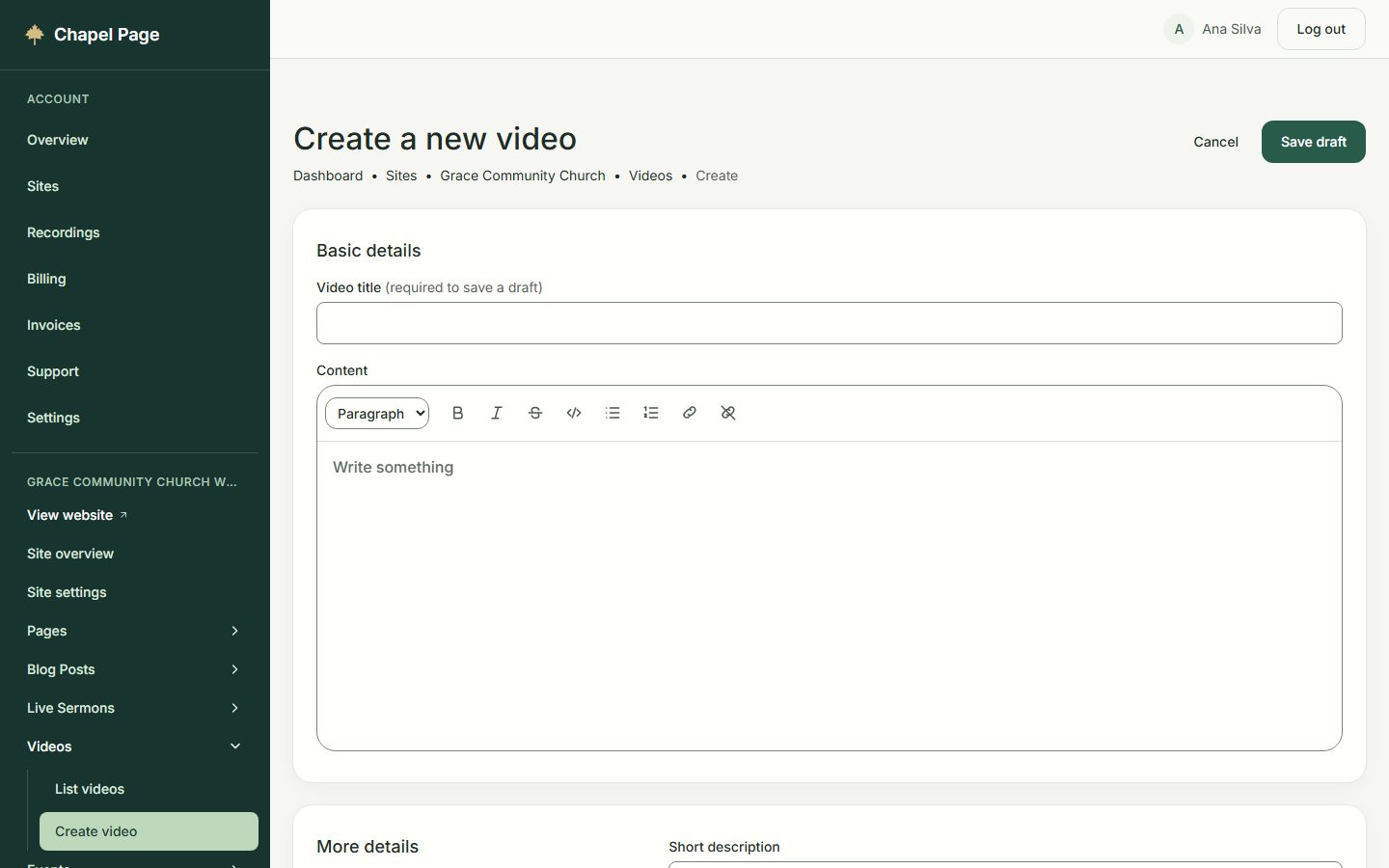
A Video is a page on your website for one recording. You give it a title, a description and a category, choose a cover picture, and pick which Recording or which YouTube or Vimeo address it plays. When you Publish, it gets its own page and its own link, and joins the list of videos on your website.
Videos have no date. That suits testimonies, teaching series and stories that stay useful for years. If a video belongs to a Sunday, make it a Live Sermon instead.
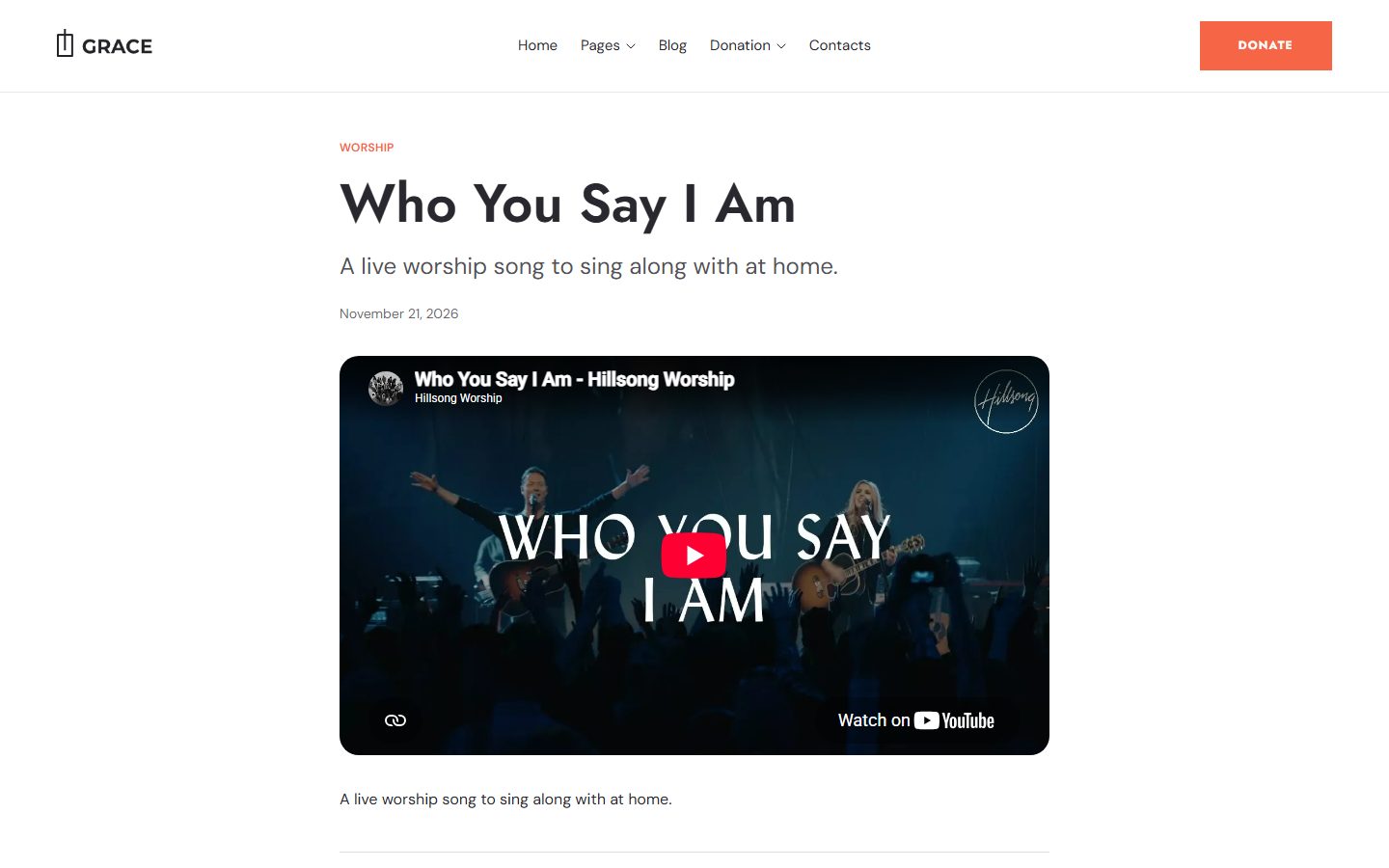
- Title, description, category and a cover that shows in lists and before the video plays.
- An SEO title and description for search results.
- Show your latest videos on any page with a list, a grid or a slider that updates on its own.
- Put one chosen video anywhere with the Video widget.
What it is and what it does
The video library is one place in your dashboard where every video your church owns is kept. Services you broadcast live are saved there on their own. Videos you upload from your computer, such as a baptism or a concert, are saved there too. In Chapel Page these files are called Recordings.
A Recording is not shown to the public by itself. You choose where it plays: on a Live Sermon page, or on a Video page of its own. That means you decide what goes on your website, and nothing appears there by accident.
How live streaming works- One library for services recorded live and files you upload.
- Each Recording can be played on a sermon page, a Video page, or both.
- Rename, download or delete any Recording from the library.
- YouTube and Vimeo videos can be used too, without being stored in the library.
Recorded automatically
Every Live Sermon channel records by default. When the broadcast ends, the file is saved to your library, with no button to press and nobody who has to remember. If you do not want to keep a particular service, you switch recording off for that sermon before you go live.
The broadcast screen lists each past broadcast with its length, its peak viewers and a link to its recording. That is the quickest way to find last Sunday’s file.
- Recording is on by default for every Live Sermon.
- The recording is saved to your library when the broadcast ends.
- To show it to visitors, pick it on the sermon in the field “Or play a recording”.
- The same sermon link then plays the service again.
Upload your own videos
Some of your best video was never broadcast live: a testimony filmed on a phone, a baptism, a Christmas concert, a welcome message from the pastor. Upload the file once, and it joins the library with your recorded services.
Big files are common in church video, so uploads are built for them. A slow connection does not mean starting again from nothing.
- MP4 and MOV files, up to 50 GB each.
- Large files upload in parts, and the screen shows the percentage.
- After the upload, the video is prepared before it can play. That takes a little while for a long file.
- Only MP4 and MOV are accepted. Convert other formats first.
One library, easy to keep tidy
Over a few years a church collects hundreds of files. The library lets you find one, play it, rename it so the name makes sense and download a copy for your own archive.
Deleting is permanent, so the delete screen warns you first and names the pages that play the file. You see what would be left without a video before you decide.
- Rename a Recording, for example from a date to the sermon’s title.
- Download any Recording to keep your own copy.
- Delete a Recording you no longer need. The warning names the pages using it.
- Play a Recording in the library to check it before you use it.
Already on YouTube or Vimeo?
If your videos already live on YouTube or Vimeo, you do not have to move them. Paste the address into a Video or a sermon and it plays on your own page in a privacy-friendly player. It sets no tracking cookies, and any YouTube suggestions at the end come only from your own channel.
Those videos are streamed by YouTube or Vimeo, so they use none of your Chapel Page streaming hours. Many churches use this for older material and upload only new files.
- Works with YouTube and Vimeo addresses, including unlisted Vimeo videos.
- A typed address plays instead of a picked Recording, so clear the address to switch back.
- No streaming hours are used for these videos.
- The video plays inside your page, so visitors stay on your website.
Hours and storage, plainly
Two limits apply to the library. The first is viewer hours: when people watch a Recording on your website, their time counts toward your plan’s monthly viewer hours, the same as live viewers. The second is recording hours, which is how much video your plan keeps stored.
If viewer hours run out, the player tells visitors that the video is not available until the next month or until you add an hour pack. YouTube and Vimeo videos are never affected.
Compare plans- Viewer hours a month: Lite 500, Plus 2,000, Pro 10,000.
- Recording hours kept: Lite 25, Plus 100, Pro 500.
- Stored Recordings count against your recording hours until you delete them.
- We email the owner of the Account at 80% and at 100% of the monthly hours.
What a video library gives your church
The point of a library is that last Sunday does not disappear on Monday. Someone who was sick, working or traveling can watch the whole service in the evening. A newcomer can watch a few messages before deciding to visit.
For your team it replaces a pile of separate tools: a place to store files, a place to host video and a way to show it on your website. It is one screen, and it belongs to your church.
- Less staff time: no exporting, re-uploading or pasting links each week.
- Members who missed Sunday catch up on the same page and the same link.
- Visitors watch on your site, with no ads or suggested videos pulling them away.
- You own the files: download any Recording whenever you want.
Which plan includes videos
Videos and the Recordings library come with the Lite plan at $24 a month, and with Plus at $59 and Pro at $169. The Free plan is for the website itself and does not include them. Every plan covers one Site.
If you move to a plan without videos, the tool pauses and your Recordings and Video pages are kept. They are not deleted.
See plans and prices- Lite
- Videos, 500 viewer hours and 25 recording hours a month.
- Plus
- 2,000 viewer hours and 100 recording hours.
- Pro
- 10,000 viewer hours and 500 recording hours.
An hour pack adds 100 broadcast hours and 500 viewer hours for $36, paid once.
Streaming and video hosting come in one plan, from $24 a month.
Questions
Are our services recorded automatically?
Yes. Recording is on by default for every Live Sermon, and the file is saved to your library when the broadcast ends. Switch it off for a service you don’t want to keep. You then pick the recording on the sermon to show it.
Which video files can we upload?
MP4 and MOV, up to 50 GB per file. Other formats are refused, so convert them first. After the upload the video is prepared, and a long file takes a few minutes before it can play.
Can we download our recordings?
Yes. Open a Recording in the library and press Download. Use it to keep your own archive or to post it somewhere else. The file is a copy, so downloading does not remove it from the library.
Can we use YouTube videos instead?
Yes. Add a YouTube or Vimeo link to a sermon or a Video. Those play from YouTube or Vimeo in a privacy-friendly player and use none of your hours. They also take no space in your recording storage.
Is there a podcast or audio-only version?
No. Chapel Page publishes video. Use your podcast service alongside it if you publish audio, and link to the sermon page from your episode notes so listeners can watch too.
Can we rename or delete recordings?
Yes. Do both from the video library. A delete is permanent, so the screen names the pages that play the file first. Those pages are left without a video, so check the list before you confirm.
Does watching a recording use hours?
Yes. Watching a recording counts toward your plan’s viewer hours, the same as watching live. YouTube and Vimeo videos use none. If the hours run out, visitors see a notice instead of the video.
Can each video have a cover image?
Yes. The cover shows in lists and grids, and before the video starts to play. A clear cover picture with a short title makes people more likely to press play, so choose one for each video.
Does each video get its own page?
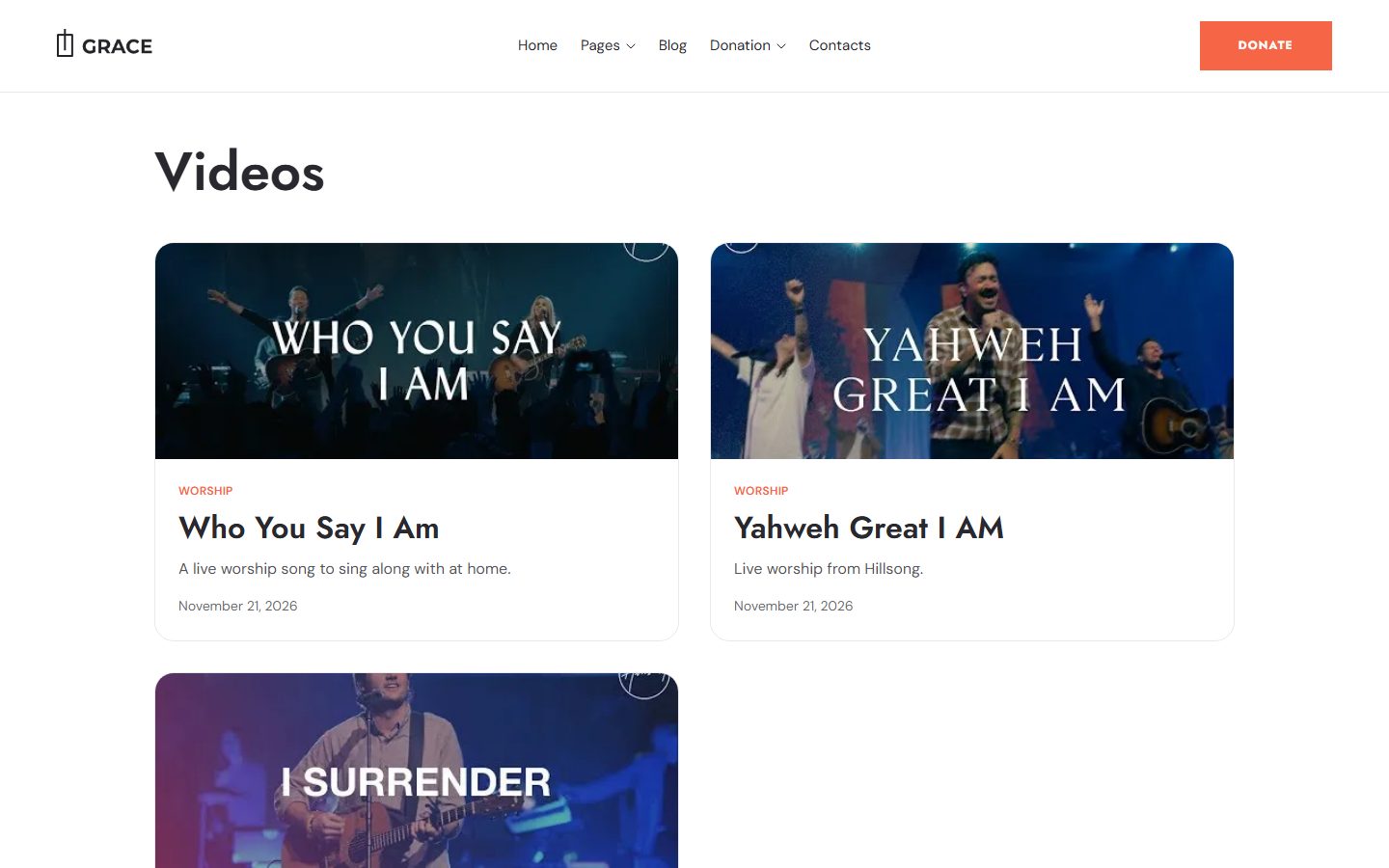
Yes. Every video you publish has its own page and link, with its cover, description and SEO title. All your videos also appear together in a list on your website.
Can we embed our videos on other websites?
No. Your videos play on your Chapel Page website. Share the page link instead, in an email, a message or a post. People then come to your site, where your service times and contact details are.
Can anyone find a Recording we have not published?
A Recording is not public by itself. Visitors see it only through a Video or Live Sermon page that plays it, and those pages need to be published first. Drafts stay private to your team.
What if we delete a Recording that a page plays?
That page is left without a video. The delete screen shows the pages that use the file before you confirm, so you can pick another Recording for them first. Deleting cannot be undone.
How much video can we store?
Your plan keeps a number of recording hours: 25 on Lite, 100 on Plus and 500 on Pro. Stored Recordings count until you delete them. When the limit is reached, new recordings and uploads are refused until you free space.
Which plan do we need for videos?
Lite or higher. Lite is $24 a month and includes Videos, live streaming and Ministries. Plus is $59 and Pro is $169, with more hours and storage. Free covers Pages and Blog Posts and has no Videos.
What happens to our videos if we downgrade?
The tool pauses and your content is kept. Your Recordings and Video pages are not deleted. When you pick a plan with videos again, they come back as they were.
Can volunteers add videos without help?
Yes, if they are Members of your Account. Uploading is one button, and a Video page is a short form: title, description, cover and which recording to play. A volunteer can learn it in one sitting.